

This is a simple concept, yet it can lead to unexpected behavior in more complex workflows — especially sub-workflows. (Unless you have exactly 1 item going through the workflow).
I recently spent quite a bit of time debugging the wrong part of a workflow, only to realize that the real issue was a missing Merge node in a different part of it.
Yes, I did ask an LLM to help debug it.
No, it didn’t catch this either.
This rule is simple. The reason behind it is not. It comes down to how n8n executes branches and passes items forward.
The problem.
Imagine this simple scenario:
There are two branches,
Each branch processes several items
Their outputs are further processed together
For example, we have a list of addresses and want to find out if any of them has a country whose name contains the letter “G”. If such an item is found, we return isGCountryFound: true, otherwise false.
This is how it looks without the Merge node.
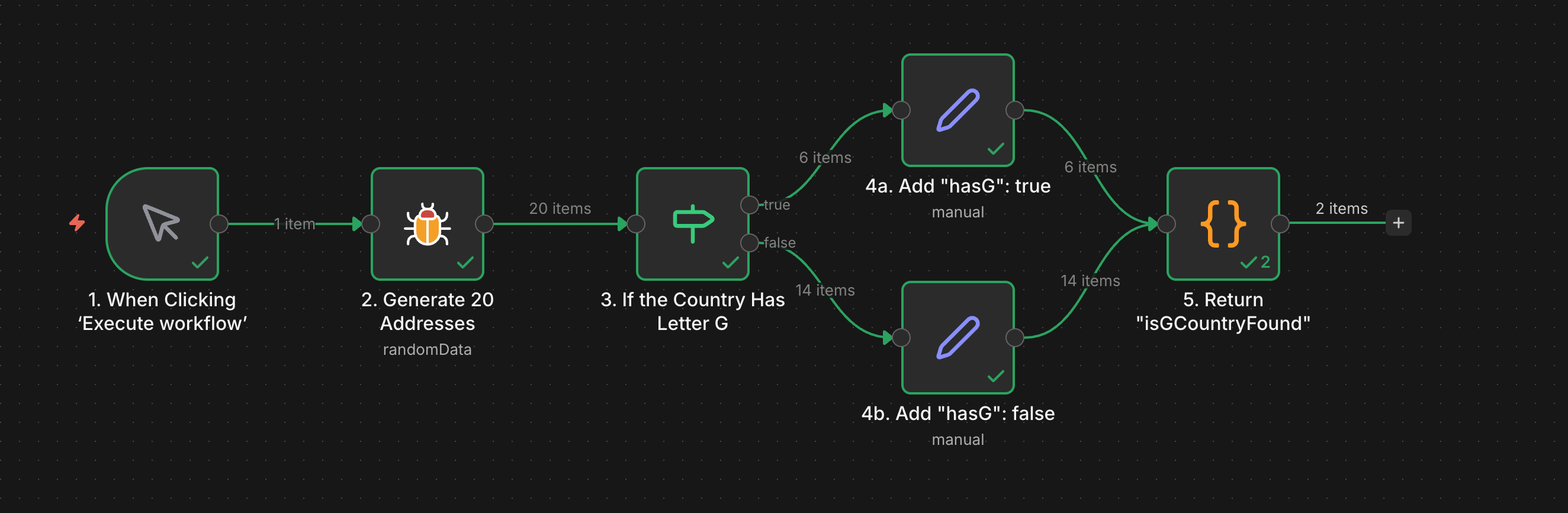
At first glance, everything is fine and green.
But the result of this workflow will always be isGCountryFound: false.
Why?
The answer lies in the way n8n executes branches. First, the top branch is executed. Here’s how the data flows:
1 -> 2 -> 3 -> 4a -> 5
Then the lower branch:
4b -> 5
The final node 5. Return isGCountryFound is executed twice — once per branch.
The second execution overwrites the first result. No synchronization happens. Each branch pushes items independently.
The fix — you’ve guessed it — is to use a Merge node where the two branches meet.
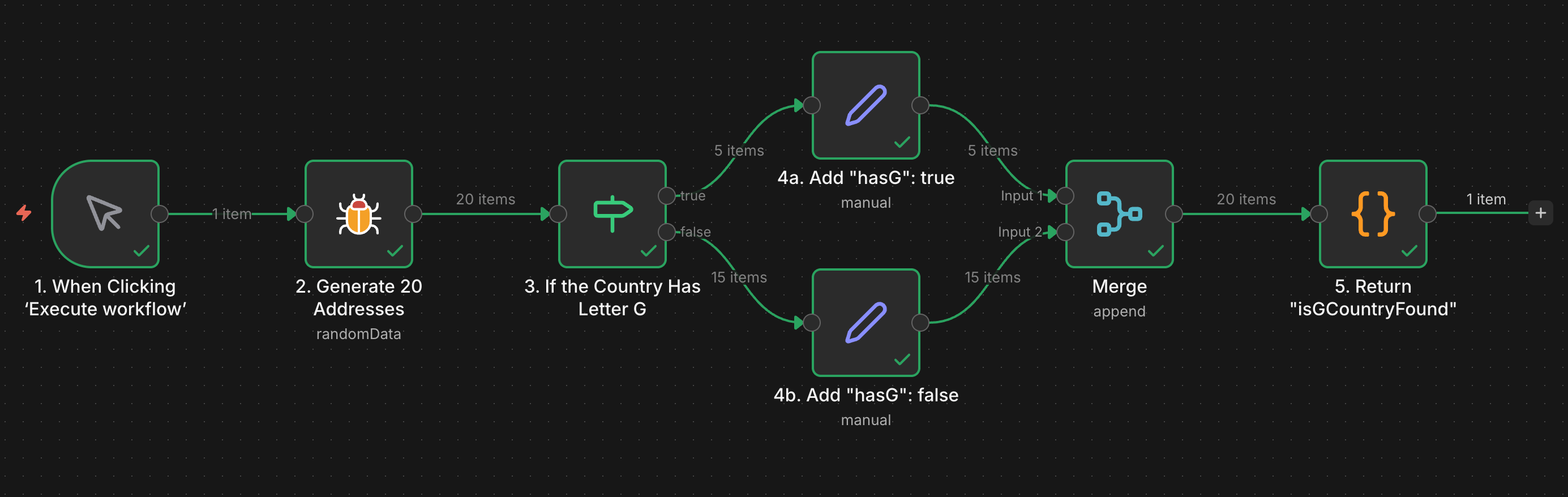
It ensures that both branches finish before passing items further for processing.
This was a piece of my experience. There’s also official documentation that can save you from many pitfalls like this: https://docs.n8n.io/flow-logic/
In this series, I will write about things I have found particularly useful in my day-to-day work with n8n — whether they are documented or not.